
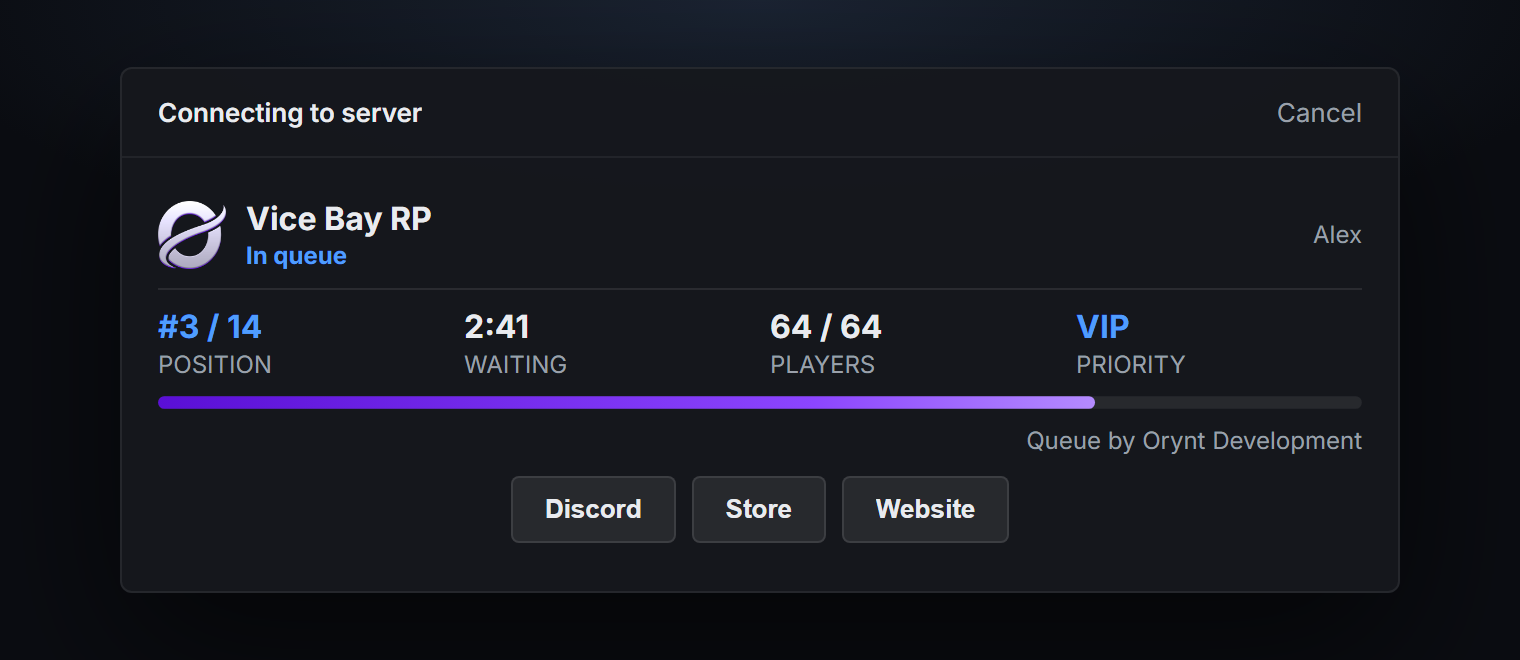
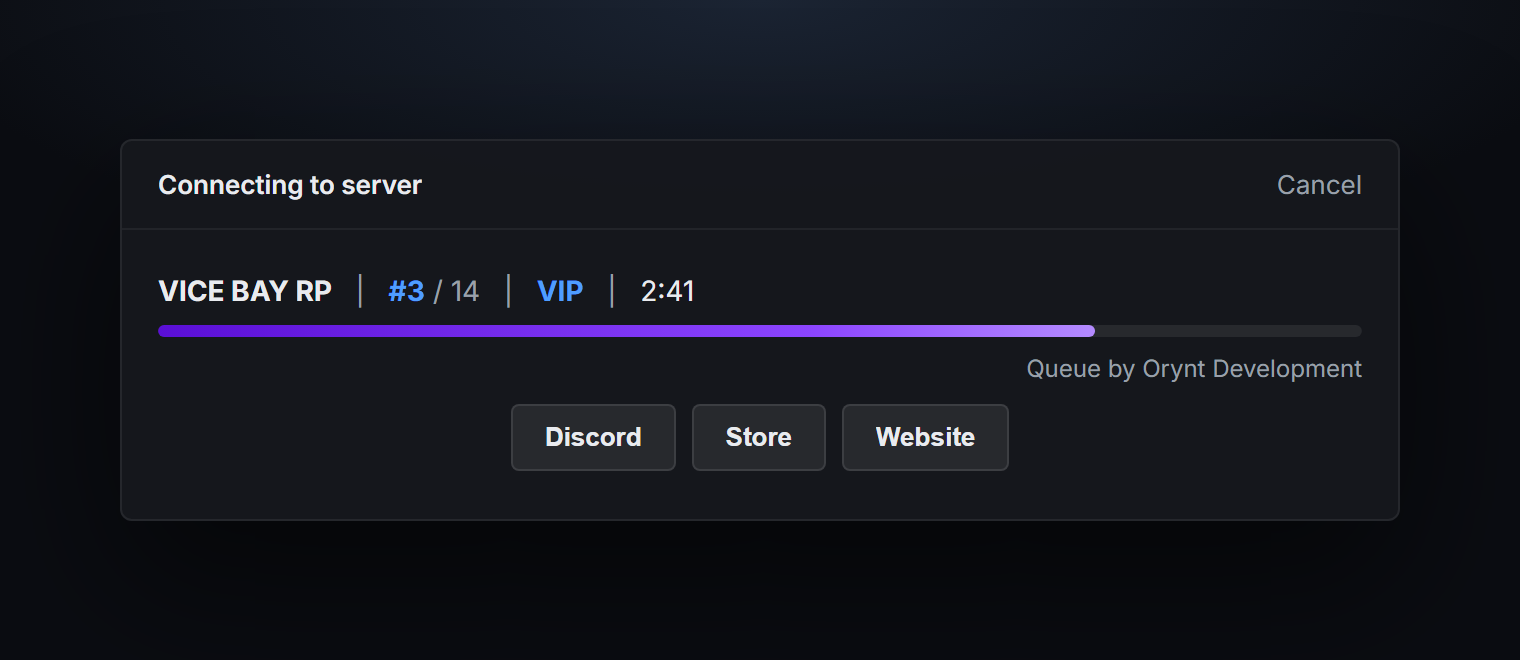
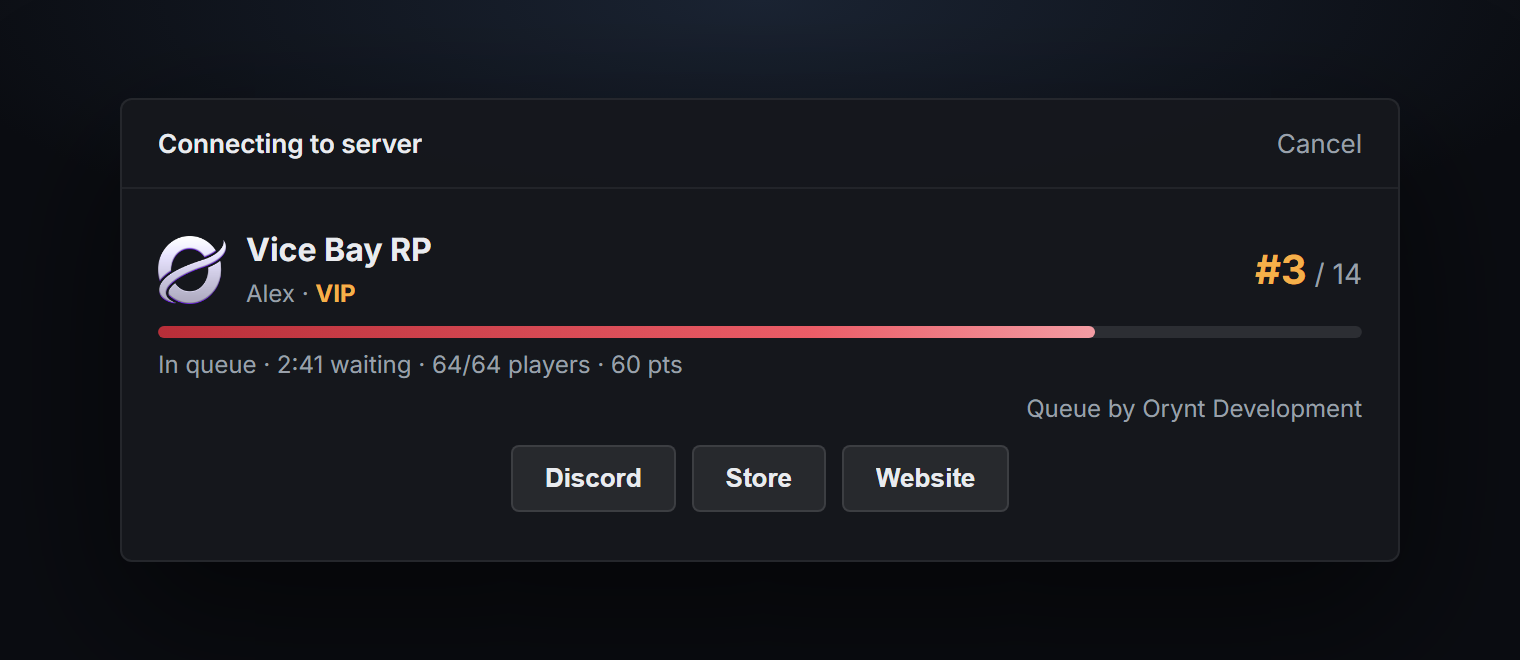
Features
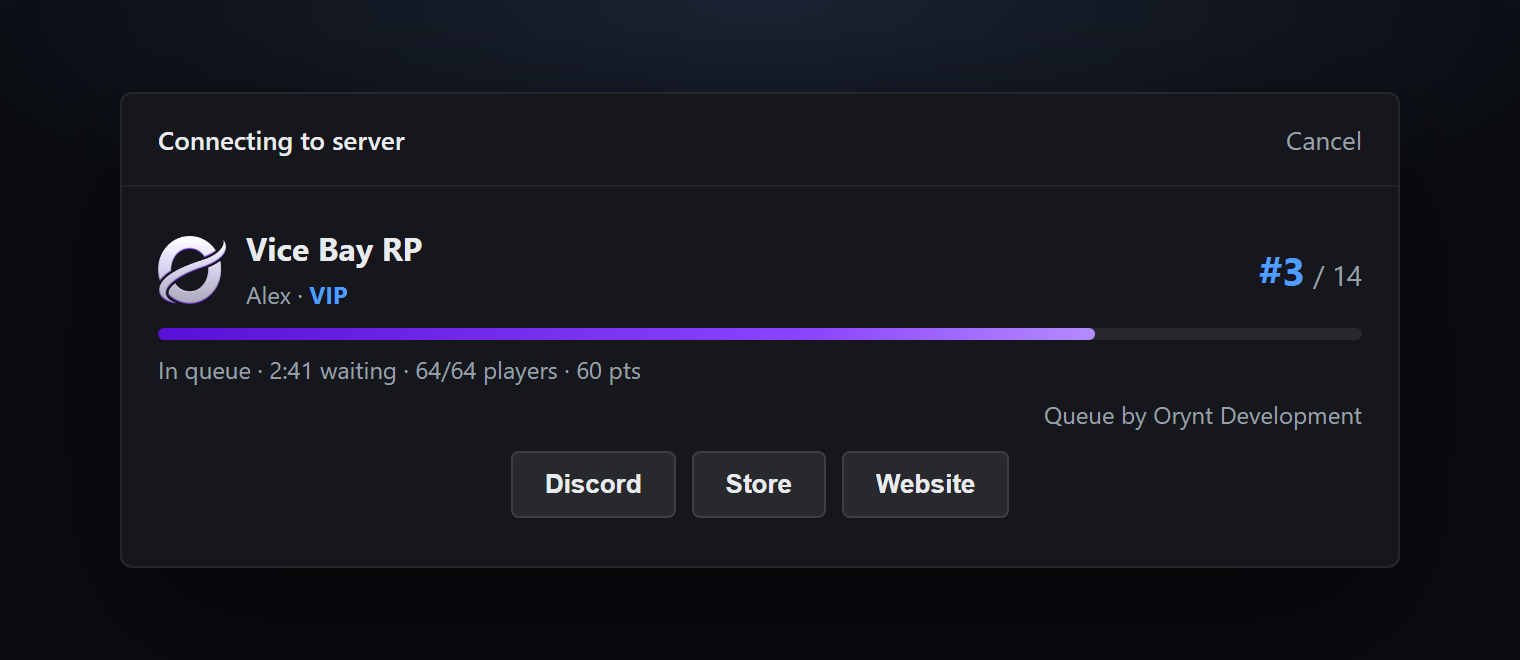
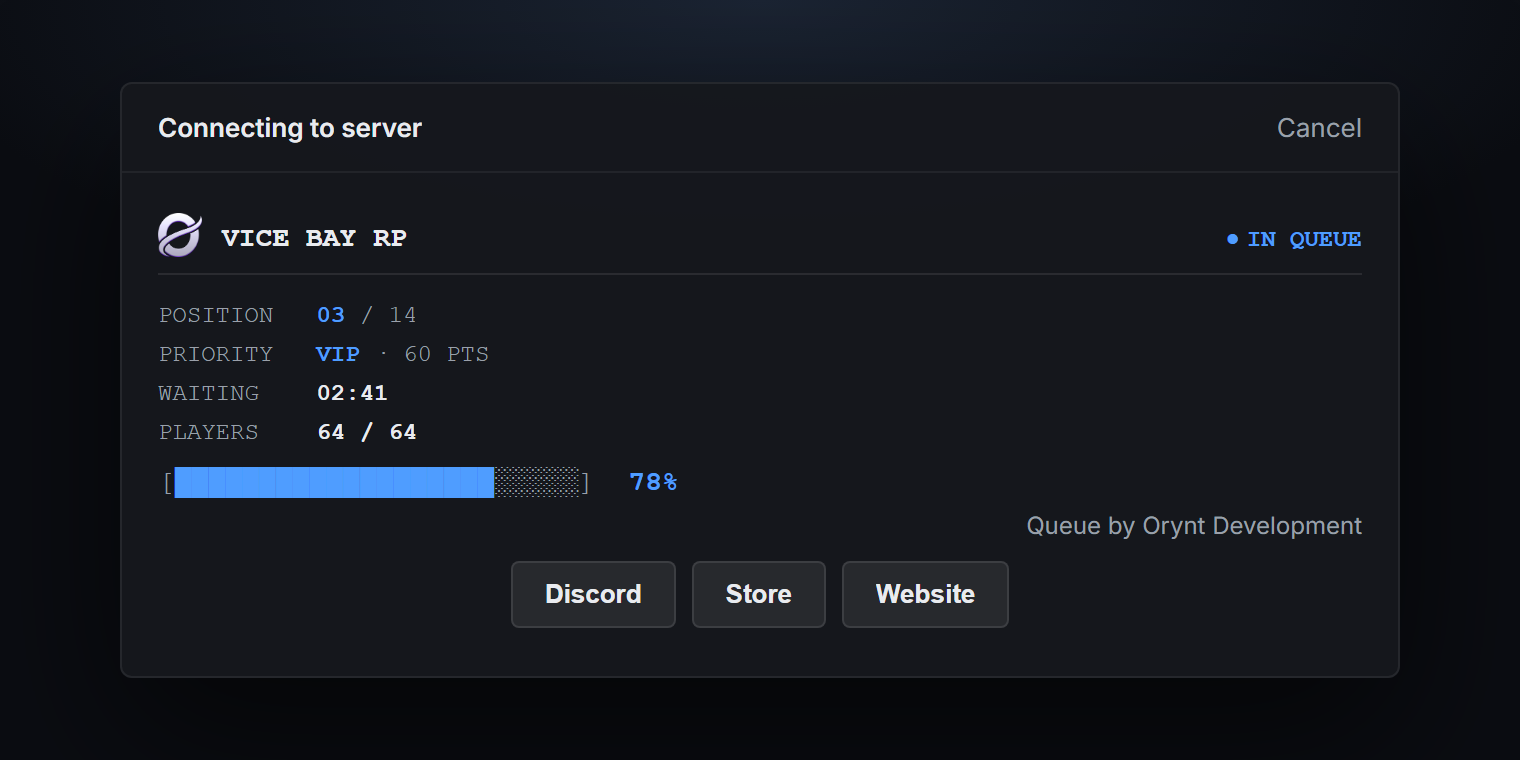
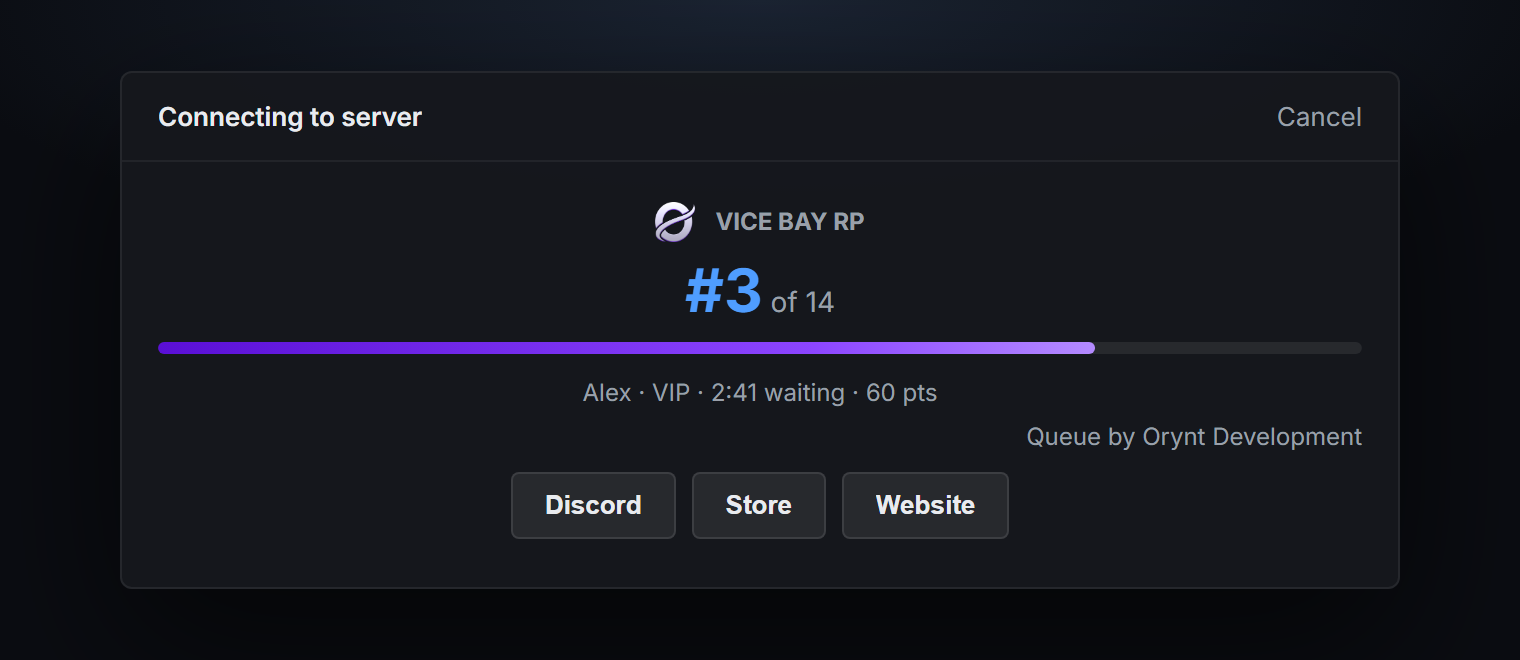
- 5 queue card styles for FiveM's connect screen, all slim:
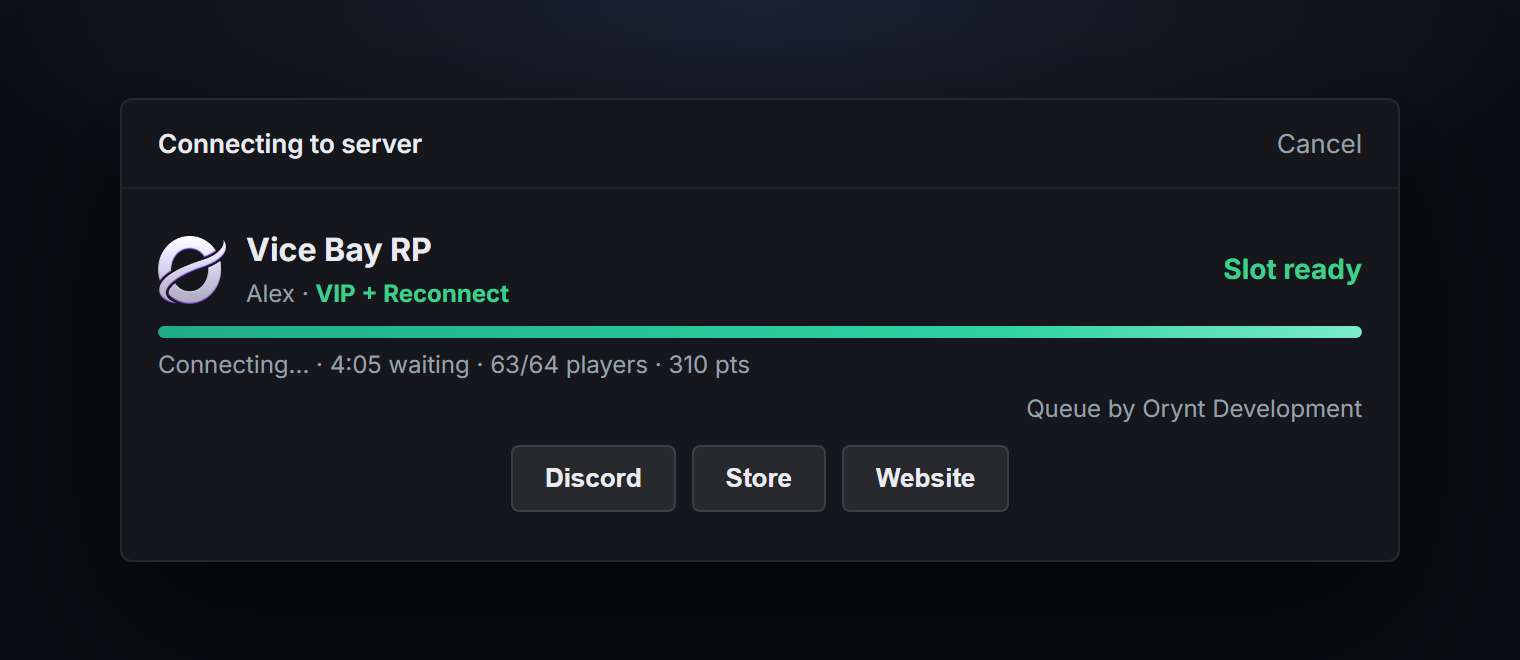
slim,terminal,focus,statsandinline. Each shows the position, a progress line of how far the player has moved up, their priority tier, wait time and players online, and turns green with "Slot ready" when it's their turn. - Priority tiers from ace permissions and/or Discord roles: each tier can use either or both.
- Works three ways: aces only (no setup), your own Discord bot, or Badger_Discord_API if you already use it (picked up automatically, no second bot needed).
- Reconnect priority: players who crash or time out get extra points if they come back within 5 minutes.
- Reserved slots: keep the last few slots for staff or high-priority tiers, so they can always get in.
- Estimated wait on the card ("~4 min"), worked out from how fast players got in recently.
- Fair: equal priority is first come, first served; slots are held for players who are still loading in.
- Optional Discord requirements: Discord linked to FiveM, and/or a member of your Discord server. Never locks everyone out if Discord is down.
- Buttons on the card (Discord, store, website...).
- Discord logs for joins, leaves and connects; admin command and exports.
- Fully translatable. Standalone: no other resources required.
Requirements
None. Optional: a Discord bot token or Badger_Discord_API for Discord role priority.
Files
orynt_queue/
├── config.lua            Settings, tiers, card (editable)
├── fxmanifest.lua
├── README.md             This file
├── LICENSE.md            Terms of use
├── locales/
│   └── en.lua            All text on the card (editable, copy to translate)
├── shared/
│   └── text.lua          Loads the language
└── server/
    ├── sv_config.lua     Discord and console logs (editable)
    ├── discord.lua       Discord lookups: own bot or Badger_Discord_API (editable)
    ├── logs.lua          Discord webhook sender
    ├── cards.lua         The queue card
    └── main.lua          The queue
Files marked editable stay readable when the resource is escrowed.
Installation
- Put the
orynt_queuefolder in yourresourcesfolder. - In
server.cfg, add it near the top, before your framework and other resources:cfg ensure orynt_queue - Remove any other queue resource (two queues fight over who gets in).
- Set up priority (next section), then restart the server. You should see:
[Orynt Queue] Started. Priority: ace permissions
The queue only shows when the server is full (and for Config.MinQueueTime seconds, 5 by default, otherwise).
To test it on an empty server, temporarily set Config.MaxPlayers = 0.
Priority
Edit the tiers in config.lua:
Config.Tiers = {
    { label = 'Owner',   points = 100, ace = 'orynt_queue.owner',   role = '' },
    { label = 'Staff',   points = 80,  ace = 'orynt_queue.staff',   role = '' },
    { label = 'VIP',     points = 60,  ace = 'orynt_queue.vip',     role = '' },
    { label = 'Booster', points = 40,  ace = 'orynt_queue.booster', role = '' },
}
Higher points = further up the queue. A player gets a tier if they have its ace or its Discord role.
They get their highest tier, or the total of all their tiers with Config.StackTiers = true.
With ace permissions (no Discord needed)
Give a group the tier's ace, and put players in that group by their identifier:
add_ace group.vip orynt_queue.vip allow
add_principal identifier.license:1a2b3c4d5e6f... group.vip
add_principal identifier.discord:123456789012345678 group.vip

# your admins (group.admin) can get staff priority too
add_ace group.admin orynt_queue.staff allow
Anything that gives aces works: server.cfg, txAdmin, or a script that syncs Discord roles to aces.
With Discord roles
Put the role id in role (in Discord: Settings > Advanced > Developer Mode, then right-click the role >
Copy Role ID), and set up Discord below. A tier can have both an ace and a role.
Discord setup (optional)
Needed for Discord role priority, the Discord name on the card, and the "must be in our Discord" option.
Already using Badger_Discord_API? Nothing to do: with Config.Discord.source = 'auto' its bot is used
automatically. The start-up line shows + Discord roles (Badger_Discord_API).
Your own bot (about 2 minutes, the bot never needs to be online or hosted):
- Go to discord.com/developers/applications > New Application.
- Bot > Reset Token > copy the token.
- OAuth2 > URL Generator: tick
bot, open the link and add the bot to your Discord server. - In
server.cfg(useset, neversetsorsetr, so players can't see it):cfg set orynt_queue_bot_token "YOUR_BOT_TOKEN" - In
config.lua, setConfig.Discord.guildIdto your Discord server id (right-click the server > Copy Server ID). - Restart. The start-up line shows
+ Discord roles (own bot).
Configuration (config.lua)
1. Slots and timing
| Option | Default | |
|---|---|---|
Config.MaxPlayers |
nil |
Slots (nil = sv_maxclients) |
Config.MinQueueTime |
5 |
Seconds everyone sees the card, even with free slots (0 = straight in) |
Config.ConnectTimeout |
120 |
Seconds a slot is held for a player who is loading in |
Config.ReservedSlots |
count = 0, minPoints = 80 |
Keep the last count slots for players with at least minPoints tier points (0 = off) |
Config.EstimatedWait |
on, 15 min, 3 samples | Estimated wait on the card, from players who got in during the last minutes; shown once minSamples got in |
Reserved slots example: 64 slots, count = 2, minPoints = 80. Normal players get in until there are 62 players;
the last 2 slots are only for players whose tiers give 80+ points (e.g. Staff and Owner). The reconnect bonus doesn't
count towards minPoints. When only reserved slots are free, the first eligible player in the queue goes in.
2. Priority tiers
| Option | Default | |
|---|---|---|
Config.Tiers |
4 tiers | label, points, ace, role (see Priority) |
Config.StackTiers |
false |
Add up all tiers a player has instead of using the highest |
Config.Reconnect |
on, 300 s, 250 pts | Extra points for players reconnecting after a crash or timeout |
3. Discord
| Option | Default | |
|---|---|---|
source |
'auto' |
'auto', 'bot', 'badger' or 'off' |
guildId |
'' |
Your Discord server id (own bot only) |
requireDiscord |
false |
Turn away players without Discord linked to FiveM |
requireMember |
false |
Turn away players who aren't in your Discord server |
inviteLink |
'' |
Shown to players who need to join your Discord |
cacheMinutes |
5 |
How long a player's roles are remembered |
4. Queue card
| Option | |
|---|---|
style |
The card style (see below) |
serverName |
Server name on the card |
logo |
Small square logo next to the name (https link, '' = none) |
banner |
Wide image at the top of the card (https link, '' = none) |
showPlayerCount |
Show players online |
brandBar |
The progress bar in your colors below (false = a plain line in FiveM's own colors) |
colors.bar / colors.barReady |
Progress bar color while waiting / once the slot is ready: any hex color, e.g. '#7018ff' |
colors.barTrack |
Color of the empty part of the bar (drawn see-through) |
colors.highlight / colors.ready |
Text color of the position, tier and estimate / of "Slot ready" |
buttons |
Up to a few buttons with links (url = '' hides one) |
FiveM's own banner above the card is set in server.cfg: sets banner_connecting "https://...".
Your logo and colors: put your logo online (a square png or jpg) and paste its https link in logo; a wide
image for the top of the card goes in banner. Use a link that doesn't expire (e.g. your website, Fivemanage or
Imgur; Discord attachment links stop working after a while). The progress bar takes any hex color. Text on FiveM's
cards can only use the theme's named colors, so highlight and ready take one of 'Accent', 'Good',
'Warning', 'Attention', 'Light' or 'Default'.
Card styles (Config.Card.style):
| Style | |
|---|---|
'slim' |
A few lines: logo and name, position on the right, name and tier, progress line, one info line (default) |
'terminal' |
Monospace readout: POSITION / PRIORITY / WAITING / PLAYERS rows and a [████░░] 78% bar |
'focus' |
Centered: server name, a big position number, progress line, one info line |
'stats' |
Name and status, then position, waiting, players and priority as four numbers in a row |
'inline' |
The smallest: one line (SERVER \| #3 / 14 \| VIP \| 2:41) and a progress line |
5. Admin and language
| Option | Default | |
|---|---|---|
Config.AdminCommand |
'queue' |
Lists everyone waiting ('' = off) |
Config.Locale |
'en' |
Language file in locales/ |
Logs (server/sv_config.lua)
| Option | Default | |
|---|---|---|
SvConfig.ConsoleLogs |
false |
Print every join, leave and connect in the server console |
SvConfig.Logs.enabled |
false |
Send Discord logs |
SvConfig.Logs.webhook / webhooks |
'' |
Webhook for all logs, or one per type (join, leave, connect) |
SvConfig.Logs.events |
all true |
Turn log types on / off (joins and leaves can be a lot on busy servers) |
Make a webhook in Discord: Server Settings → Integrations → Webhooks → New Webhook → Copy Webhook URL.
Admin command and exports
/queue (server console, or in-game with add_ace group.admin command.queue allow) lists everyone waiting with
their priority and wait time.
exports.orynt_queue:GetQueueSize()   -- number of players waiting
exports.orynt_queue:GetQueue()       -- { { name, position, tier, points, waited }, ... }
Translating
All text on the card is in locales/en.lua. Copy it to e.g. locales/de.lua, change Locales['en'] to
Locales['de'], translate it (keep the words in {braces}), set Config.Locale = 'de', then refresh and
ensure orynt_queue. Anything left out falls back to English.
Updating
Replace the resource folder with the new version and start it (refresh, then ensure orynt_queue, or restart the
server). Nothing to copy over:
- Your settings come back by themselves. Every start,
config.lua,server/sv_config.luaand your own translation are copied to the server (its KVP, outside the resource folder). When the new version starts with the files from the download, yours are put back and the resource restarts once to load them. - New options your config doesn't have yet use their defaults, and the console lists them once (the changelog below says what they do).
- Changed
server/discord.lua? The new version's file is used (it may need it), and yours is saved next to it as<file>.before-updateso you can move your changes over. The console says so. - Keep the resource's name (
orynt_queue): the saved settings belong to it.
To let it restart itself after putting your settings back, add this to server.cfg (without it, the console asks
you to type ensure orynt_queue once):
add_ace resource.orynt_queue command.ensure allow
To go back to the default settings on purpose: type orynt_queue:resetsettings in the server console, put the
files from the download back and restart the resource.
Updating from a version before 1.1.0: those don't save your settings yet, so this one time keep a copy of
your config.lua, server/sv_config.lua and language files, and put them back after replacing the folder. From
1.1.0 on, updates keep them by themselves.
- 1.1.0: the new Orynt look: a purple progress bar on the card (green once the slot is ready,
brandBarto turn it off) and purple Discord logs. NewConfig.Card.colors: your own bar colors and text highlight colors. Updates keep your settings now: replace the folder and your config comes back by itself (see Updating). Works with orynt_adminmenu: the queue waits for its ban check, and banned players see the ban screen instead of the queue card. - 1.0.0: first release.
Troubleshooting
| Problem | Fix |
|---|---|
| Nobody sees the queue | It only shows when the server is full (plus Config.MinQueueTime). Test with Config.MaxPlayers = 0 |
| Ace priority doesn't work | Check the add_ace and add_principal lines; the identifier must match exactly (identifier.license:...) |
| Discord roles don't count | Check the start-up line says + Discord roles. Check the role ids and guildId |
Console: Discord rejected the bot token (401) |
The token is wrong or was reset: copy a new one into server.cfg |
Console: no access to your Discord (403) |
The bot isn't in your Discord server, or guildId is wrong |
| The card shows the FiveM name, not the Discord name | The player hasn't linked Discord to FiveM, or Discord is off (source = 'off') |
| Two queues / players stuck connecting | Another queue resource is running: remove it |
Escrow and license
When escrowed, config.lua, server/sv_config.lua, server/discord.lua and locales/ stay readable so you can
configure, translate and adapt it. See LICENSE.md for the terms of use. In short: use it on your own servers; don't
resell, share or leak it; keep the Orynt Development branding (including the credit on the queue card).
© Orynt Development